
Mostly we know How to install the apps on Android and How to use them. Also, we know some settings options. But most of them don’t know the background functions. So, today we are going to learn What is Configapk App on Android. It is one of the important background packages on the Android device.
Not only about this Configuration APK file but also you can learn How to delete it. And whether it is harmful to the device or not.
Table of Contents
What is Configapk on Android?
The Configapk is an OS package that is completely responsible for the app’s Installation and auto-update of the Third-Party apps. It consumes 20KB of space on your Android device. Also, it is called the Application Packager Installer. You can find this package on Samsung, Nokia, LG, OnePlus, Huawei, or HTC. In all Google Devices.
Is Configapk Safe?
Now, we know what Configapk is. Next, we need to know whether the Configapk app is safe or not. Configapk is a default preinstalled app on all Android devices. This is very important and necessary to the devices. Without this tool, you won’t be able to install, uninstall, or update the apps on your Android phone. It does not take up much space on your device. And it does not bother any other apps. So, it is Completely Safe.
Also, check com.android.server.telecom Framework
Check the Configapk App Permission
All apps are asking for permission when you launch the app for the first time. If you like to check whether Configapk takes permission on your Android, here are the steps given here;
- Unlock your Android device.
- Click the Settings icon.
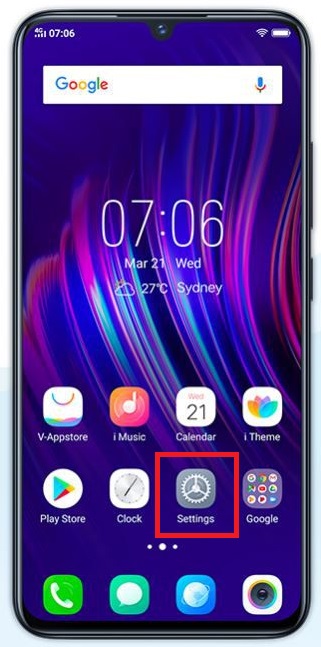
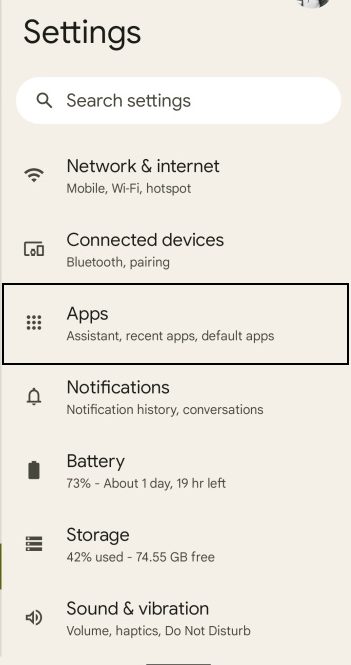
- Scroll down and select the Apps section.
- Now, tap the Show System Apps option.
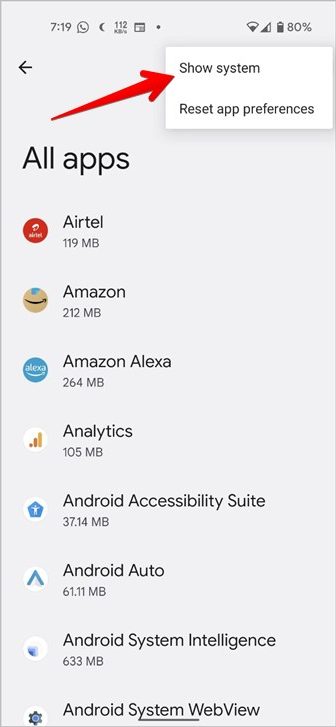
- Scroll down on the screen.
- Until you see the Configapk.
- Once you have found it, Click it.
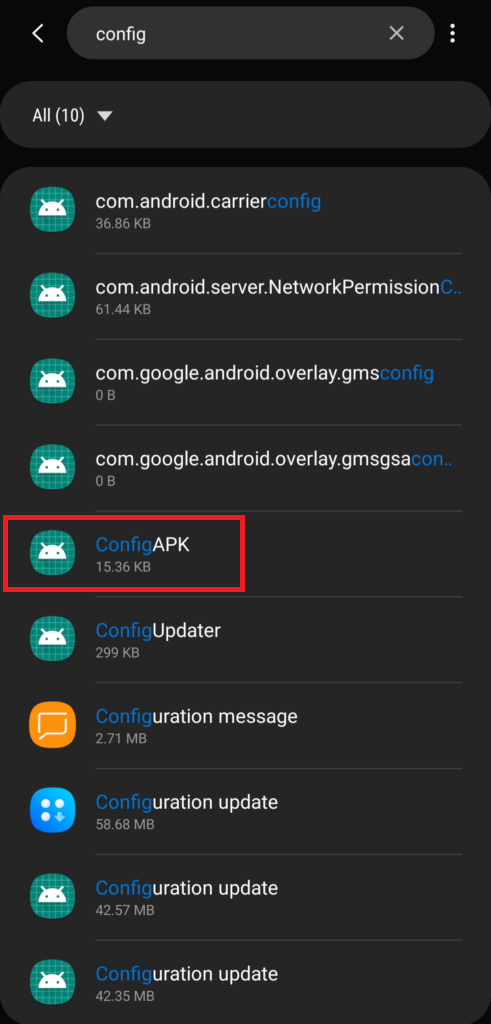
- Heads to the Permission section.
There you can see the Permissions which are all allowed to the Configapk app. If you saw the No Permission Allowed, it does not require Permissions.
Can I Delete Configapk?
No. You can not Delete or remove the Configapk on your Android device. But you can Disable it from your device. Still, if you want to delete it, you can root your smartphone and delete it. Before that think once, it does not harm your device and it doesn’t take up a huge space in your Android.
How to Disable Configapk on Android?
As we have discussed in the above section, you cannot delete the configuration apk app on the Android device. But you can Disable it. Want to know how? Then check out the steps given in the following;
- First, Turn On the Android device.
- Visit the Settings page on your Android.
- Select the Apps option under the settings menu.
- Navigate to the Three Dot lines in the top-right corner of the page.
- Now, click on the System Apps option.
- There you can see many config apps.
- Scroll down and select anyone to open.
- And, click the Disable button below.
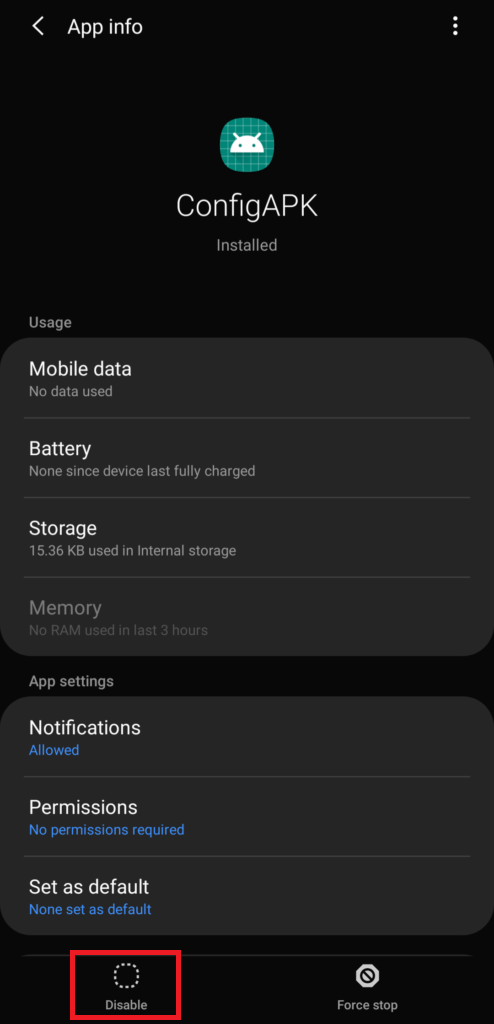
Now, the Configapk has been disabled on your Android device. Is your Android showing a Crashed notification, check the next topic to fix it.
Also, refer: GT IPTV 3 Apk for Android
How to Fix Configapk Keeps Crashing?
Along with the Config APK, many apps crash with Installing the dishonest file and the build-up of cache dispute. If your Android keeps notifying you that the Configapk app has crashed, here is the procedure to fix it;
- Go to the Android Settings section.
- Select the Apps option.
- Click the more option ( three dots) at the top right corner of the page.
- Tap the Show System Apps option.
- Scroll down and click on the ConfigAPK button.
- Move to the Storage section.
- Head to the Clear Android Cache tab.
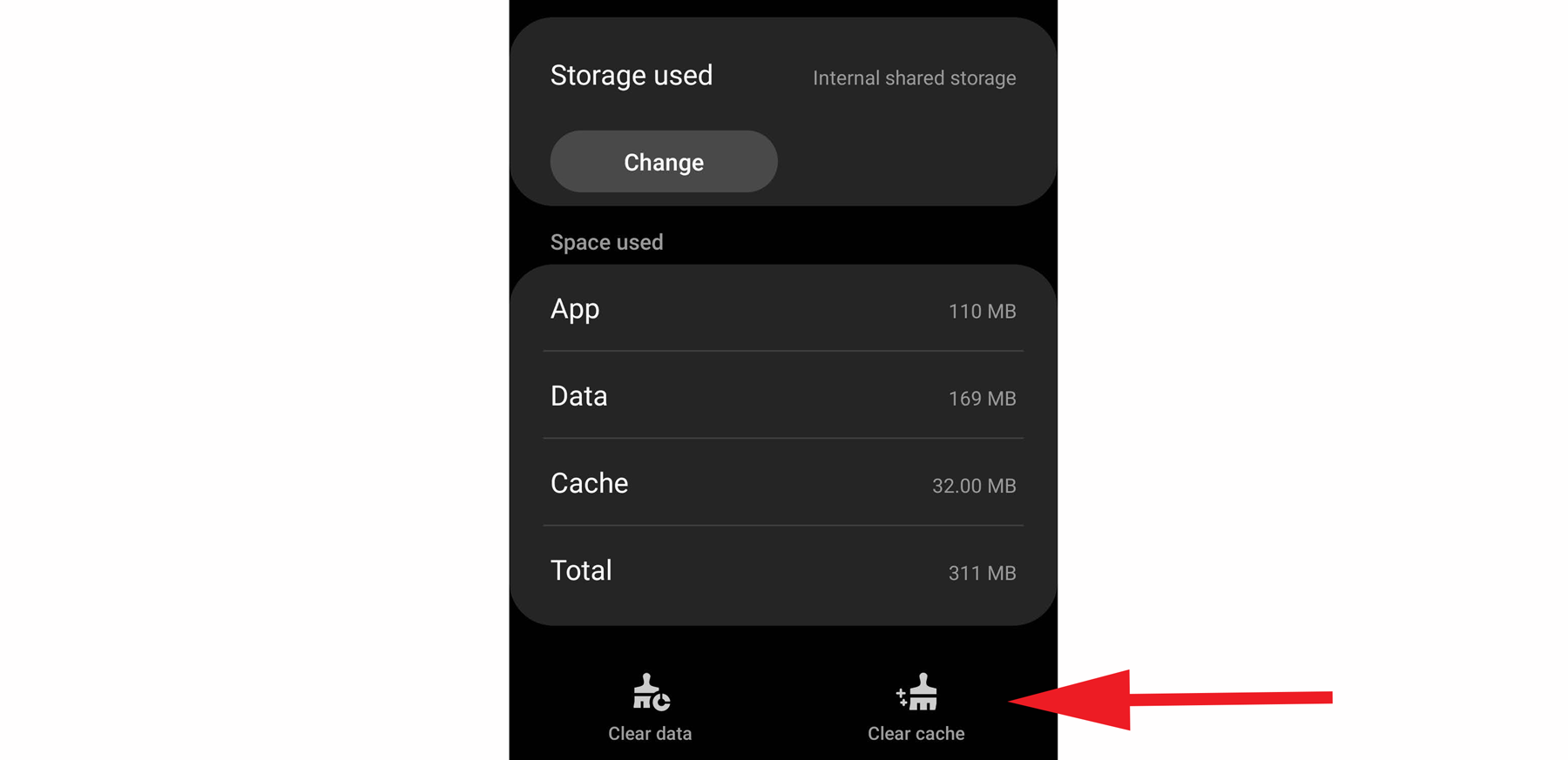
Now, the crashed notification disappears. If still it is showing, restart the device.
ConfigAPK on Samsung
ConfigAPK is an Integral program on Samsung Smart Devices that drives APK Packages. It is a file that drives in the backdrop of your handheld or Android TV System. The ConfigAPK is in charge of inevitably locating and uninstalling the APKs. You can also look up the ConfigAPK as an Android.Autoinstalls.Config.APK. It is a Samsung App that drives certainly when required. Not only are the Samsung Smart devices, but you can also get the ConfigAPK on Nokia, LG, and One Plus.
Finally…
The Configapk is an Android Package Installer. It will help the Android device to Install, uninstall, and Autoupdate the apps. This is the default package in all Android. If you are trying to delete this package, you cannot install any official or third-party apps on your device. Alternatively, you have to get any other package installer for your device.