
![How to Get and Access Trakt on Firestick [In Two Methods]](https://techthanos.com/wp-content/uploads/2022/08/How-to-Get-and-Access-Trakt-on-Firestick-In-Two-Methods.jpg)
Get Trakt on FireStick and integrate it with the streaming service and Kodi add-ons and get movies and TV show suggestions based on your watch history. Trakt can be synchronized with all the streaming services and can get used on all devices. Go through this article to know more about Trakt.
The Trakt will follow your streaming history and keeps track of it to provide suggestions of similar and new content you may like with the data it has collected. The best part about this app is that it can get integrated with almost all of the video streaming services and Kodi add-ons. Hereafter, you do not need to search for content that is to your taste; the content will come to you as recommendations from Trakt.
Table of Contents
What is Trakt?

Track TV integrates with your streaming services and provides suggestions on movies, shows, and more from the information it gets from the streaming services on the topics you like to watch. It runs in the background and gets synchronized with all your streaming services, and provides perfect suggestions by automatic scribbling. There are a lot of features offered by Trakt, and they are listed below,
- Trakt TV service comes in both free and premium plans.
- Provides you with the history of the things you have streamed.
- You can get suggestions on the latest TV show with respect to your previous watch history.
- You can use Trakt TV on multiple devices.
- It can get integrated with the FireStick app and Kodi add-ons.
- It can help you to add movies and TV shows to a collection.
How to Get Trakt on FireStick?
The process to get the Trakt app on your FireStick is the same as getting any other app on it. You need a credential to sign up on Trakt and create an account. To get this app on FireStick, you need to do the following,
- Sign up to Trakt
- Trakt on FireStick Apps
You can also get Trakt as a Kodi Addon on your FireStick. To access Trakt on FireStick, you need to have apps like Cyberflix, Cinema HD, Bee TV and more.
How to Sign up to Trakt?
You have to go to the official site of Trakt to create the account in which your stream history will get collected, and this account will be integrated with other streaming services to offer recommended shows or movies to watch. You need to have a Trakt credential to integrate with streaming services. To get an account on Trakt, go through the following steps,
- Visit the Trakt official website on your web browser on any device.
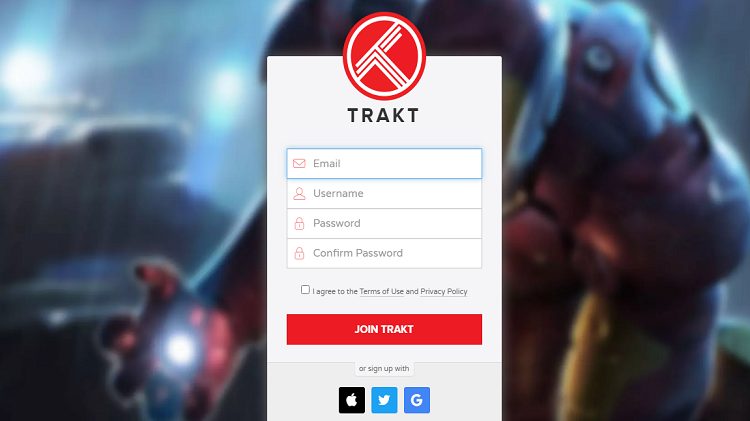
- On the Trakt home page, select Join Trakt and get navigated to a sign-up page.
- Enter the details asked email ID, username and a secure password twice.
- Now check the empty boxes and tap on Join Trakt.
- You have to now enter a profile name for the Trakt account, location, DOB and gender and select the next step option.
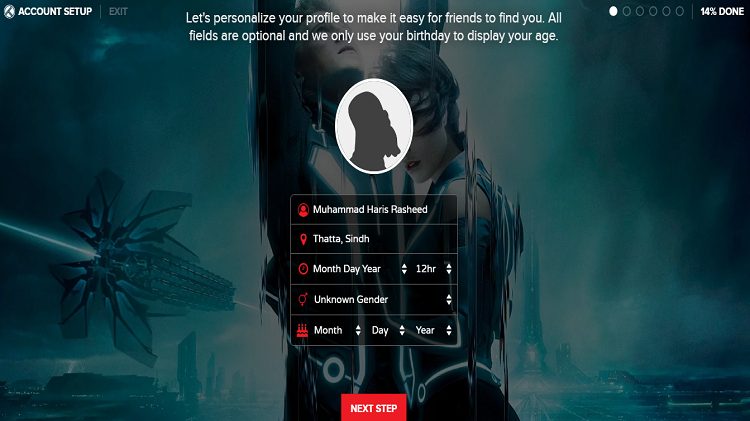
- Now go through the following on-screen instructions and select the next step option until you reach the Continue to Dashboard option.
Your Trakt account is now set and can now integrate with other streaming services.
How to Get Trakt on FireStick?
You can get Trakt on FireStick by integrating it with some of the best streaming services like Bee TV, Cinema HD, CyberFlix, Nova TV and more. Here we will discuss the process to get Trakt on Cinema HD Streaming Service. The steps to go through are,
To get Cinema HD on FireStick, go through this article, Download & Install Cinema HD Apk on Firestick. To know how to install apps on FireStick, go through this article, How to Install Apps on Firestick?
- Find and launch the Cinema HD app on your FireStick device.
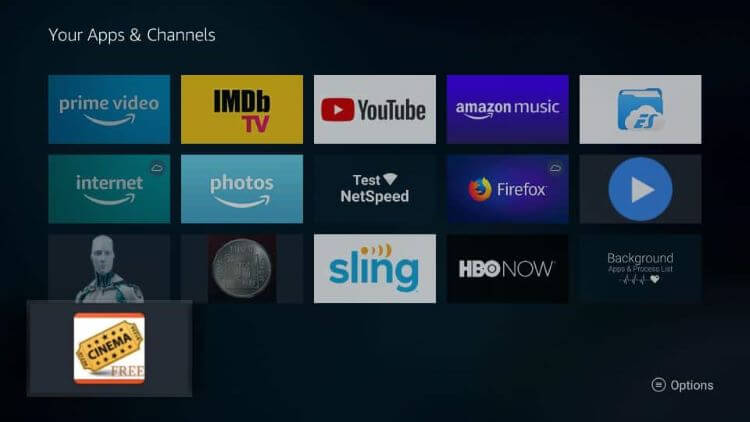
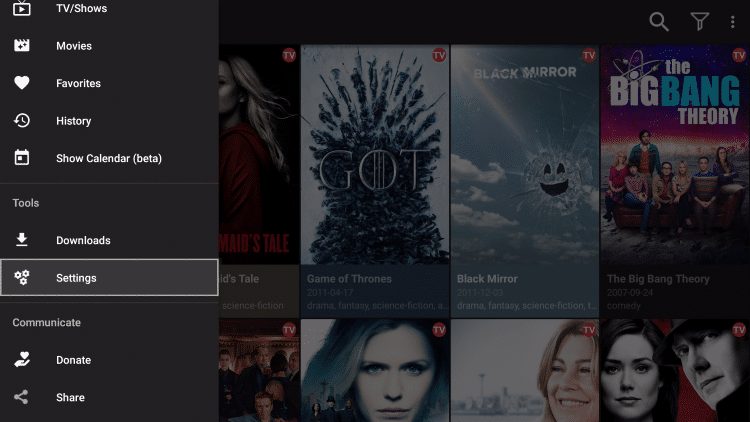
- In the Cinema HD dashboard, select the three horizontal lines to go to the menu.
- Now select the Settings option and navigate to select Login to Trakt TV.
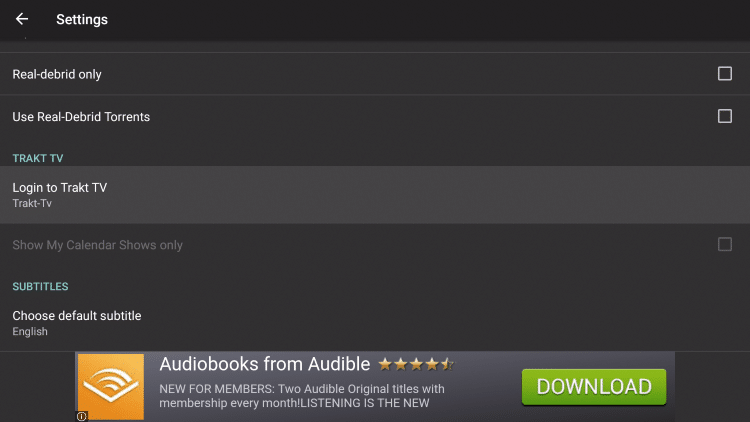
- Follow the on-screen instructions given,
- Visit the link from the screen on the web browser on any device.
- Sign in with your Trakt credentials.
- Enter the code from your Cinema HD app and press Continue.
- Now press yes to allow access for Trakt to integrate with Cinema HD.
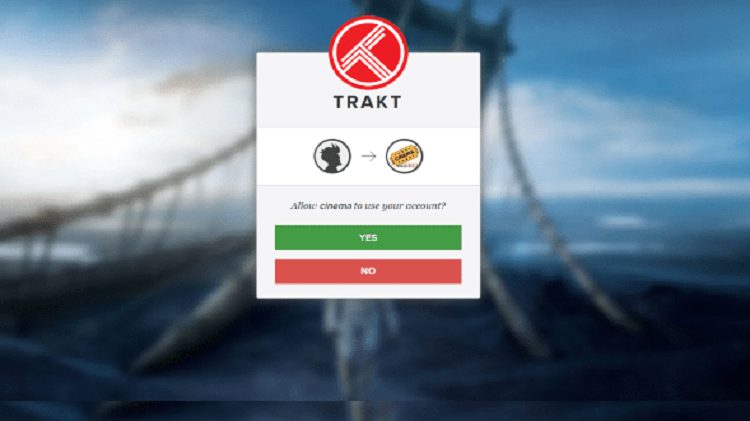
- Your screen gets automatically refreshed after connection to the drive.
- In your Cinema HD settings under Trakt TV, if you find Trakt TV authorized, you can access Trakt TV on Cinema HD.
Now you can stream on Cinema HD and let Trakt run in the background.
How to Get Trakt on Kodi add-on on FireStick device?
Some of the Kodi add-ons are compatible with Trakt, such as Exodus, Venom, Exodus Redux and covenant support Trakt TV. We will discuss how to integrate Trakt with the Exodus Redux Kodi add-on on your FireStick device.
To get Kodi on FireStick, go through this article, How to Install Kodi on FireStick?
Now go through the steps to get Trakt on Exodus Redus,
- Find and launch the Kodi add-on on your FireStick device.
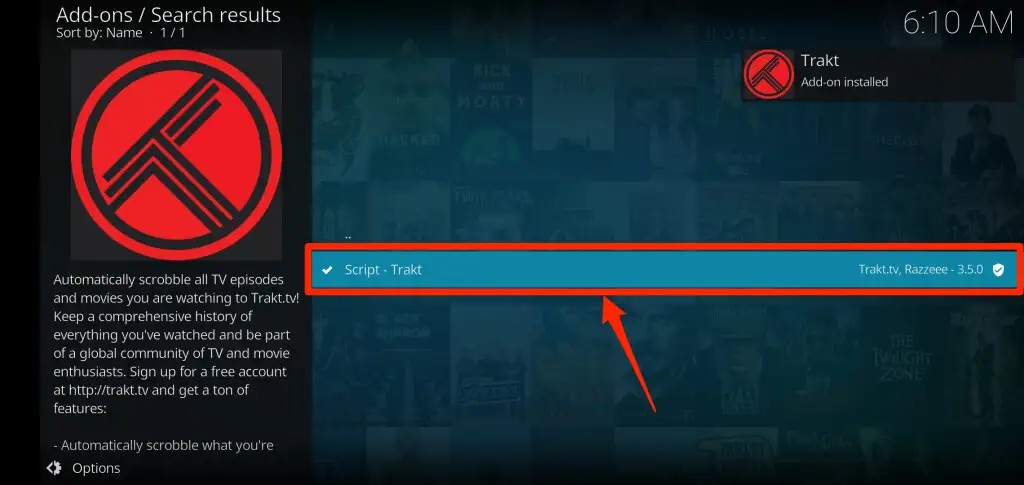
- Select the search icon on the Kodi home page and Choose search add-ons.
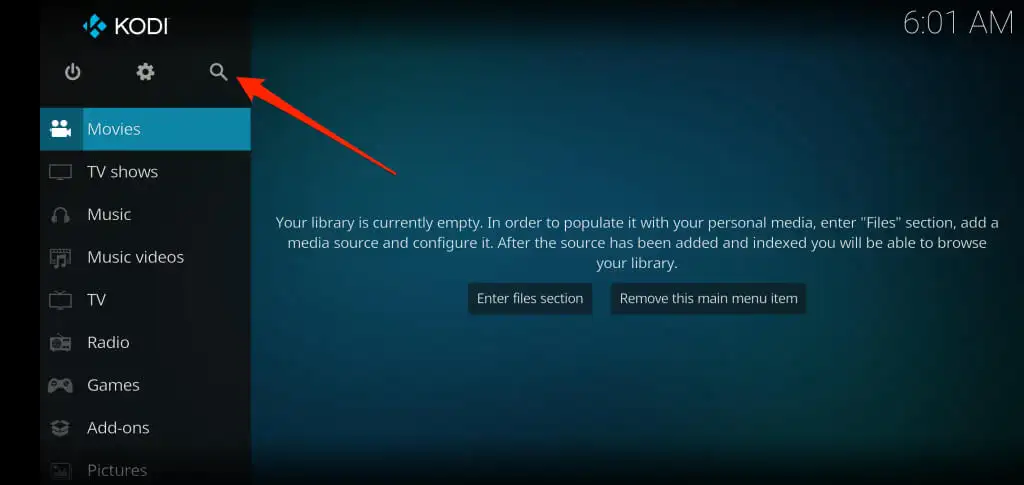
- Enter “trakt” in the search tab and press OK.
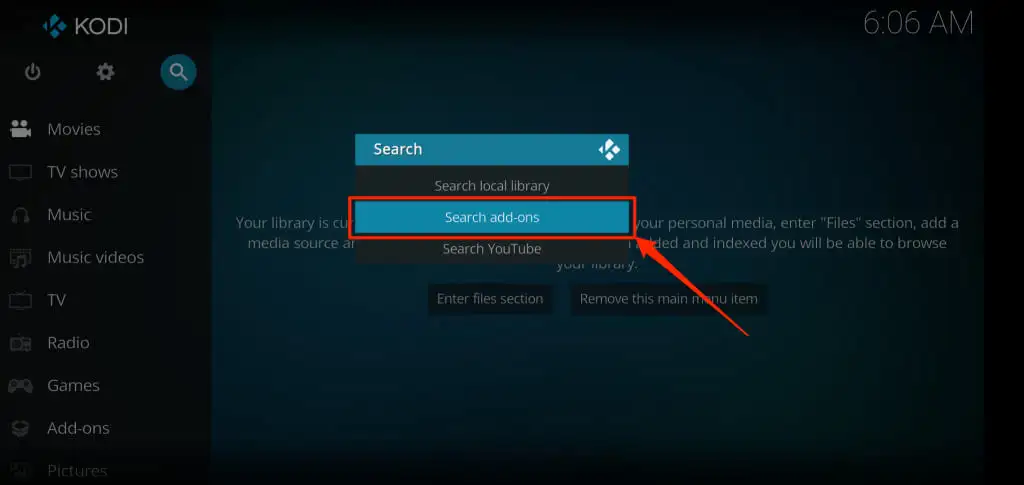
- Now tap on Script-Trakt and tap on Install.
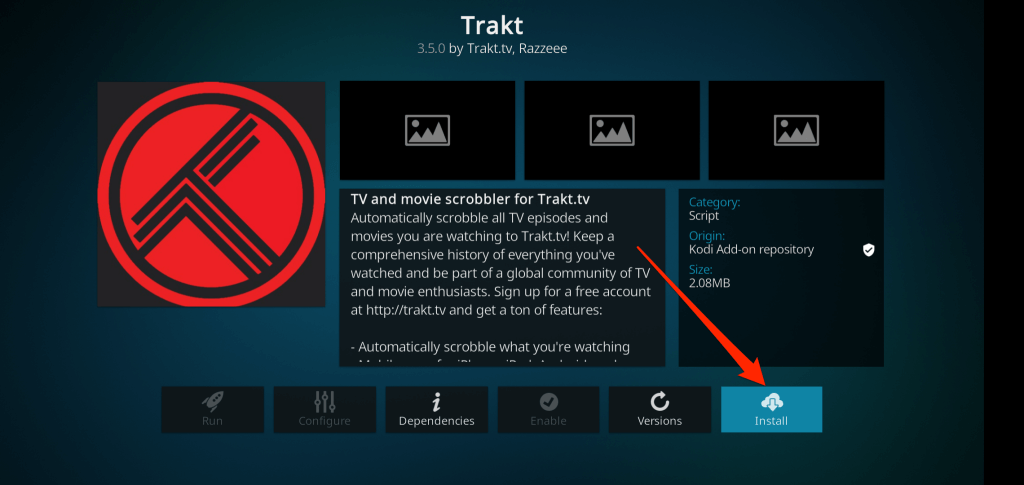
- After the Trakt TV app gets installed, you can see the authentication page with the activation code on it.

- Visit the link from the screen on the web browser on any device.
- Sign in with your Trakt credentials.
- Enter the code from your Kodi app and press Continue.
- Now press Yes to allow access for Trakt to integrate with Kodi.
You can now use Trakt tv to get information from Kodi to suggest good shows and movies.
The End
You can now get suggestions on new movies and TV shows on your streaming service concerning your watch history by integrating Trakt into your streaming service. You can add them to a collection and watch them on any device since Trakt can synchronize with all devices and streaming services. Go through this article and enjoy watching your favourite movies and TV shows.
Frequently Asked Questions:
How Can I Get Trakt on FireStick?
After creating a profile in Trakat at its official website, you can integrate trakt on streaming service apps like Cyberflix, Cinema HD, Bee TV and more. On Kodi player, you can get Trakt as an add-on.
What is the use of Trakt?
Track TV integrates with your streaming services and provides suggestions on movies, shows, and more from the information it gets from the streaming services on the topics you like to watch.
Is Trakt free?
There are two versions of Trakt a free service and a premium service. You can use Trakt for free, and if you want to use its additional feature, you need to subscribe to its premium plan.
What Does Trakt do?
Trakt can integrate with streaming services and video players to gather your watch history. It can get information on your watch history and suggest movies and shows to your taste. You can add your favourite shows and moves to your collection at Trakt to access them easily.