
![Cox Contour on FireStick. [Install | Subscribe | Watch]](https://techthanos.com/wp-content/uploads/2023/03/Cox-Contour-on-FireStick.-Install-Subscribe-Watch.jpg)
Cox communication has been one of the favorite internet, mobile, and TV service provider. You can use the Cox Contour TV app to watch live TV on the go. But can you use Cox Contour on the FireStick device? You can learn about the different methods you can get this app on your FrieStick along with the subscription process. Cox Contour is one of the best apps for FireStick to watch live TV without cable. Some of the latest events to watch on Cox Contour TV include XFL, LIV Golf, MLS, NCAA March Madness, and more.
Table of Contents
Is Cox Contour on FireStick?

How to Get Cox Contour on FireStick?

The Cox Contour TV app is free for free on Amazon App Store and can be installed on your FireStick. After installing the Cox Contour App, you can use your Cox subscription account credentials to access all the channels available on it live on your device. If you are a new FireStick device user with a Cox subscription then follow the steps to access live TV and on-demand videos on the Cox Contour TV app.
How to Install Cox Contour on FireStick? [Direct Method]

- Go to the FireStick home screen by pressing the Home button on your FireStick remote.
- Now select the Find option and tap on Search.
- Type “Cox Contour TV” in the given text space and press OK on the remote.
- You can now select the Cox Contour TV app and go to its information page.
- Now tap on the Download or Get button and wait till the app is installed on your FireStick device.
- Click Open to launch the Cox Contour App on FireStick.
Use the Downloader app to get Cox Contour on FireStick. [Sideloading]

- Install the Downloader app on your FireStick device.
- Move to the FireStick Settings menu and choose My Fire TV.
- Go to the About option, highlight your FireStick name, and press the OK button 7 times. (To enable Developer Options)
- Go back and tap on Developer options and select the Install Unknow apps option.

- Select the Downloader option and press OK to turn it ON.
- Launch the Downloader app and go to its home page.
- Enter the URL for the Cox Contour TV app from a secure source and press GO.

- Once the APK file for Cox Contour TV is downloaded, tap on it to begin the installation.
- Tap on Install and once the process is completed select Done.
- Delete the APK file after the installation process ends.
You may also like to learn about What Channel CW is on Cox?
How to Watch Cox Contour on FireStick?
By following the direct or sideloading method, you have now successfully installed the Cox Contour TV app on your FireStick device. To access live TV on the Cox Contour TV app you need to Sign In with your subscription account credentials. If you have not yet subscribed to Cox, follow the simple procedures given here.
Create an Account and Subscribe To a Plan on Cox:
- Visit the Cox.com site on any of your web browsers on its supported devices.
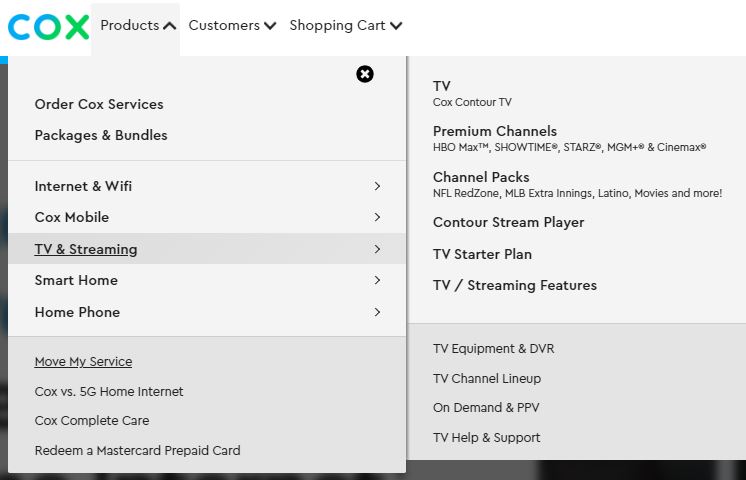
- Select the Products option and choose the TV & Streaming option.
- Now choose the TV (Cox Contour TV) option from the pop-up.
- Tap on the Add to Cart option under the subscription plan of your choice.
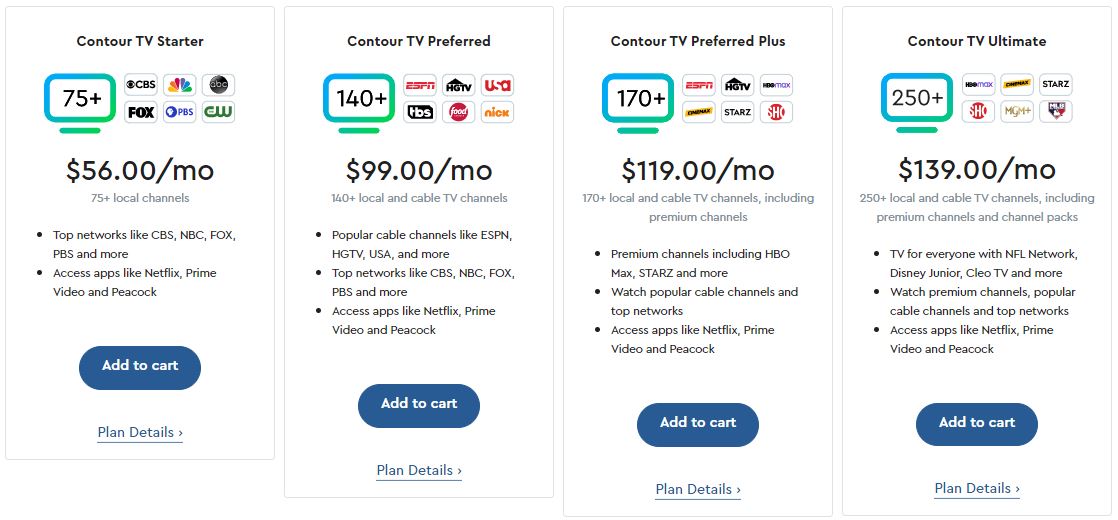
- Add any premium channel or DVR Service with your TV plan if you want.
- Tap on the Continue to Checkout option and create your Cox profile.
- After providing the information asked select the Continue to Varify Identity option.
- Follow the on-screen instruction provided and continue to the payment section.
- Now complete the billing process by providing the necessary details asked.
- You have now successfully subscribed to Cox Contour TV.
Access Cox Contour TV App on FireStick:
- Go to the FireStick home page and select Apps.
- Navigate and find the Cox Contour TV app on your device and launch it.
- Tap on the Get Started option
- Now use your Countour account credentials to Sign In.
- Provide a name for your device and press Continue.
- Use your FireStick remote directional keypad to navigate.
You may also like to learn about What Channel is Lifetime on COX?
Alternate Ways to Get Cox Contour TV app on FireStick:
Since you can easily get the Contour TV app on your Android and iOS device using Google Play Store and Apple App Store. You can easily screencast or screen mirror the app from your Smartphone to your Fire TV device. If you are using an Android device, then you can use the Apps2Fire app to easily get the Cox Contour TV app on your FireStick device.
NOTE: To cast or for the use of Apps2Fire app to get Cox Contour TV app on Fire TV, your Smartphone and FireStick device must be connected to the same WiFi network.
Cast Contour TV app to FireStick device-connected TV or Fire TV screen:
- Download, install, and sign in to the Cox Contour TV app on your Smartphone.
- Swipe down to open the Notification Tab on Android devices and Swipe Up to open Control Center on iOS devices.
- Now select the Screen Casting, Smart View, or Screen Mirroring option on your Smartphone.
- Wait for your FireStick or Fire TV device to show up on the network and tap on it.
- Press Continue and click on Allow at the prompts that appear on your device.
- Now your Smartphone screen is cast or mirrored to your Fire TV screen.
- Play any content on the Cox Contour TV app and watch it on your FireStick.
Sideload Cox Contour TV app to FireStick using Apps2Fire app:

NOTE: This method can be used only by android device users. That is because the Apps2Fire app is available only on Google Play Store for your Android Smartphones and Tablets.
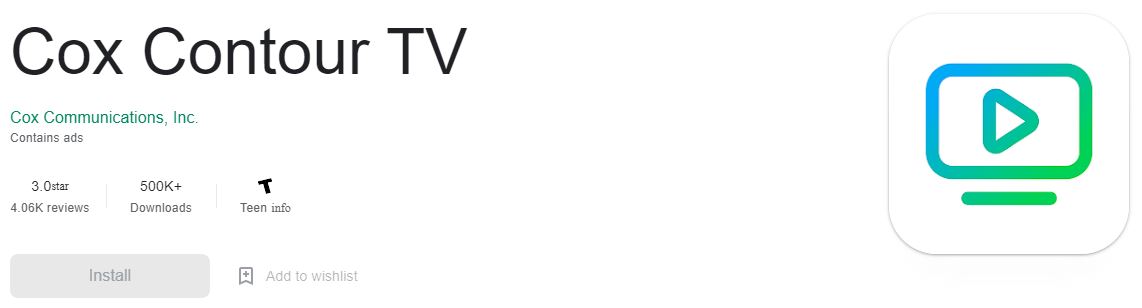
- Get the Cox Contour TV app and Apps2Fire app on your Android device.
- Enable the Apps from unknown sources option on your FireStick device.
- Go to the About menu on FireStick and tap on the Network option to find your device’s IP address.
- Launch the Apps2Fire app on your Android device and select the vertical three dots to open its Menu.
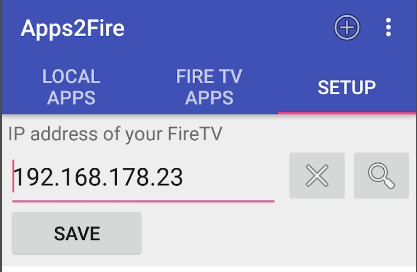
- Go to the Setup option Enter the IP address of your FireStick and tap on Save.
- Move back to the Apps2Fire home page and select Local Apps.
- Navigate to find the Cox Contour TV app here and tap on Install.
- The Cox Contour TV app will be installed on your FrieStick, so wait for the notification saying Installation Complete pops up.
You can now sign in with your Cox account credentials and start to access all the channels live on your FireStick device. You may also like to learn about Dream TV on FireStick.
THE END
Enjoy watching live TV and never miss any show with the Cloud DVR storage offered by Cox Contour on FireStick. If you are not able to access the Contour TV app on your device, the best option to watch it would be by screening or screen mirroring it from other supported devices. Have a Good WiFi network connection to watch live TV without any issues.
Frequently Asked Questions:
Can I Watch NCAA March Madness on Cox Contour TV?
You can watch the live broadcast of NCAA March Madness on your Cox Contour Cable service with TruTV on channel number 1045. The tournament will start soon from the 12th of March to the NCAA Championship game on the 3rd of April 2023.
Is ESPN on Cox?
Yes, you can watch the ESPN channel on Cox Contour TV cable and App. You can also access the ESPN+ app live streaming using your Cox account credentials.