
![Noggin on Firestick.[Subscribe|Install|Activate]](https://techthanos.com/wp-content/uploads/2023/04/Noggin-on-Firestick.SubscribeInstallActivate.jpg)
The best learning period for children is from the age of 2. To make the learning process more effective and fun the same way the Noggin app was developed. You can get this app on your favorite devices like iOS, Andorid, Roku, and FireStick. In this article, you can learn the procedure to get Noggin on FireStick and access it on your device. You can also learn more about the steps to watch Noggin Channel on your FireStick using the Prime Video app. Follow this article and provide the best learning experience for your kids with their favorite characters from Nick Jr.
Table of Contents
How to Get Noggin App on FireStick?
For children of age 2-7, Noggin provides the best preschool entertainment to have fun learning. The Noggin Application can be installed on your FireStick from its default app store. After installation, you need to Sign In with your Noggin Account credentials to access its contents. You can also add Noggin as a channel on Prime Video and access it on your FireStick device. Follow the simple procedures given here to start watching Noggin on your Fire TV.
How to Subscribe to Noggin App?
- On your Phone, Tabler, or PC web browser, visit noggin.com
- Select the Start Your Free Trial option from the Home page.
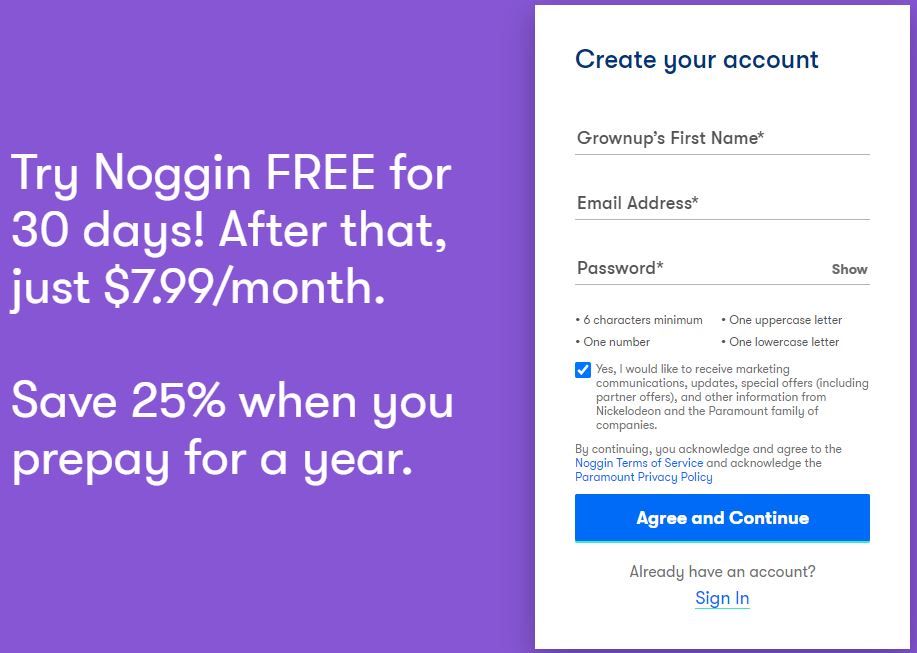
- Provide your Childs Name, Email ID, and a secure password and press Agree and Continue option.
- Now complete the subscription procedure with the Payment options available.
How to Install Noggin on FireStick?

- Press the Mic button on your FireStick Voice Remote.
- Speak the name of the app Noggin on yoru Alexa Voice remote and wait for the search results.
OR
- Go to the FireStick Home page and select the Search Icon.
- Use the Virtual Keyboard to type the name of the app “Noggin” and start to search.
- From the search result select the Noggin app by Nick Jr. and go to its information page.
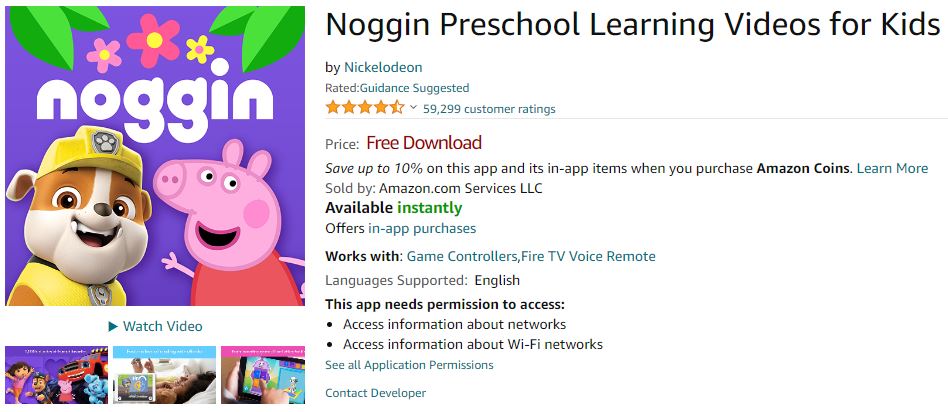
- Select the Get option and wait for a few seconds.
- The Noggin app is installed on your FireStick device.
How to Activate Noggin App on FireStick?
- Once the installation is complete, select Open to launch the Noggin App on your FireStick device.
- Select the Sign In option and note down the activation Code.
- Now visit noggin.com/activte site on your Phone or PC web browser.
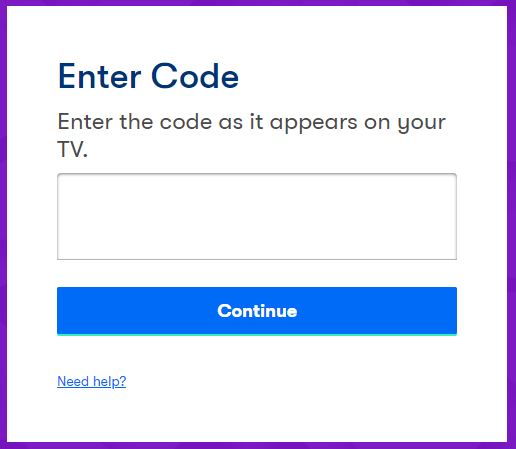
- Enter the Activation Code from your Fire TV screen here and tap on Continue.
- Use your Noggin Subscription account credentials to Sign In.
- The Noggin App on FireStick refreshes and takes you to its Home page.
You may also like to learn about How to Watch Nickelodeon on Firestick?
How to Get Noggin Channel on FireStick?
You can easily stream the programs of the Noggin Channel on your FireStick device with Prime Video. By adding your Noggin Subscription to Prime Video or Amazon Channels, you can easily watch the Noggin Channel on your device. Follow the simple procedure given here to connect your subscription and access Noggin on Prime Video.
- Go to noggin.com/amazon on any of your device’s web browsers.
- Select the Connect My Subscription option.
- Create a Noggin Account or use your credentials to sign in.
- Follow the instructions provided on the screen.
- Use your Amazon Account Credentials and get Noggin Channel on Prime Vidoe.
How to Watch Noggin Channel on Firestick?
After adding Noggin Channel to Prime Video, you can easily watch it on your FireStick. The Prime Video app is available default on your Firestick. Make sure that the Prime Video app is updated to its latest version. Follow the simple procedure to watch Noggin Channel on your Fire TV.
- From your FireStick home page select the Find option.
- Now tap on the Search option and enter the name of the channel “Noggin”
OR
- Use Alexa Voice remote to find the Channel.
- The Search results contain content from your Prime Vidoe app.
- Near Noggin Channel select Watch Now with the Prime option.
- You can now live stream Noggin Channel on your FireStick.
You may also like to learn about How to Watch YouTube Kids on Roku?
What’s on Noggin?
The Noggin app provides kids with learning activities, games, videos, and books with their favorite characters from Nick Jr. You can access a library of eBooks, interactive episodes, activities, and exclusive learning games and shows made by specialists. You can watch 1000+ episodes of preschool programs like PAW Patro, Peppa Pig, and more. Here are some of the things your kids can do with Noggin,
- Favorite cartoon characters cna teach your kids ABCs, 123s, and other life skills.
- eBooks can help your kids to develop a love for reading.
- Games based on math, literacy, puzzles, and coloring books are provided in the Noggin app.
- Your kids can read together or turn on narration in eBooks and make them explore it at their own pace.
Every content made by Noggin can boost your kid’s knowledge in an unfilled way.
Suggestions
The Noggin App is better than using the Noggin Channel. I would recommend you use this application for your kids from the age of 2. The 30-day free trial offered by Noggin can help you decide whether to subscribe or not. If you are not satisfied, make sure to cancel the subscription before the trial period ends.
Frequently Asked Questions
Is Noggin App Free?
You can use Noggin free for the first 30 days of your subscription only. After that, the subscription plan price will be automatically deducted from your account. There are also additional in-app purchases that can be locked from your device’s settings.
What’s New in Noggin?
Your kids can now personalize their Noggin experiences more enjoyable with the new Noggin’s Avatar Maker. Just tap on yoru current profile avatar and select edit to create your own Noggin Avatar.