
![How to Get VRV on FireStick? [Install|Subscribe]](https://techthanos.com/wp-content/uploads/2023/03/How-to-Get-VRV-on-FireStick-InstallSubscribe.jpg)
VRV is one of the best anime streaming services from Sony. VRV owned by Crunchyroll offers its services only to the United States. Fire TV Stick is one of the popular streaming devices in the US, Can I Watch VRV on FireStick? If you have the same doubt, then this article can help you with it. Here you can learn about the subscription procedure on VRV and the installation process to get the VRV app on your FireStick device.
Table of Contents
Is VRV on FireStick?
Yes, The VRV app is compatible with your FireStick device. You can get the VRV App on your Fire TV Stick from the default Amazon App Store. VRV Subscription is needed to access exclusive content with no ads.
How to Get VRV On FireStick?

With the VRV Streaming service app on your FireStick, you can access channels like Crunchyroll, Funimation, Cartoon Hangover, Nerdist, Mondo, Ginx Esports TV, Rooster Teeth, and more. To watch your favorite Fandom Anime on your device, follow the simple procedure to install VRV on FireStick.
- From your FireStick device Home screen select the Find tab.
- Tap on the Search icon and type the name of the App using the virtual keyboard.
- Press OK to start the search and select the VRV app from the results.
- Now from the VRV app information page tap on the Get or Download option.
- Wait a few seconds and get the VRV app installed on your FireStick.
Once the installation process is complete you can find the VRV App on your FireStick in the Apps section. You would need VRV credentials to access its content. You may also like to learn about How to Get Fire Anime on FireStick?
How to Create an Account and Subscribe to VRV?
By creating an account on VRV you can access limited content for free. But to watch exclusive content without any ad interruptions, you need to subscribe to VRV. With VRV Premium, you can have special access to new and exclusive content first. The simple procedure to create an account on VRV is as follows,
Create a VRV Account:
- Visit VRV Official Site on your Smartphone or PC web browser.
- Select the account icon and tap on Create Account option.
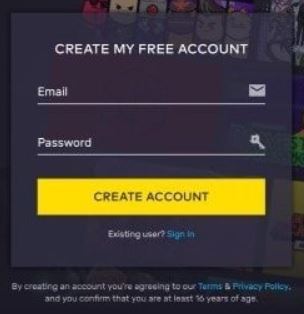
- Now provide your Email ID and set a Password for your VRV Account.
- Press Create Account option and continue on to set a username for your account.
Subscribe to VRV Premium:
- Tap on the 30-Day Free Trial option and Continue to subscribe to VRV Premium.
- Add your Card or PayPal account with VRV.
- Now tap on the Go Premium option to confirm the subscription.
- Once the subscription procedure is complete tap on the Let’s Go option.
- You will be directed to the VRV Home page on your web browser.
How to Watch VRV on FireStick?
Now that you have installed the VRV app on FireStick and subscribed to VRV Premium. You can easily access the content offered by VRV on your Fire TV easily. Follow the simple procedure to watch your favorite anime content on FireStick,
- Press the Home button on the FireStick remote.
- Tap on the Apps option and find the VRV app on your device.
- Launch the VRV app on FireStick and Sign In with your VRV Premium account credentials.
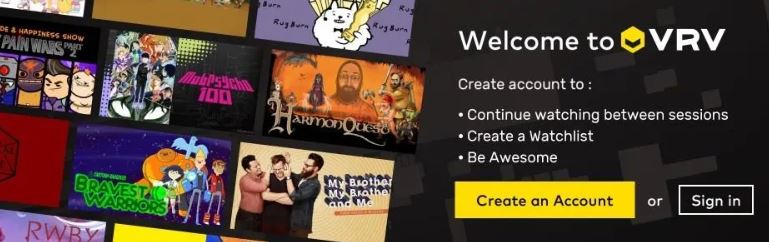
- From the home screen select the content you want to watch.
With these steps, you can now live stream anime without any ads on your FireStick. You may also like to learn about How to Watch Roku Anime?
Which is Better VRV or Crunchyroll? [VRV vs Crunchyroll]
VRV is getting moved to its original pace, Crunchyroll, it is time that you move from VRV to Crunchyroll. If you want to watch only anime then Crunchyroll is better than VRV. But for gaming, animation, and some general geek stuff, VRV is the better one. You may also like to learn about Is Crunchyroll on Firestick?
THE END
With the help of this article, you can now easily watch VRV on your FireStick devices. It would be better to go for Crunchyroll than VRV for streaming Anime. Make use of the free trial offered by VRV to gauge its value yourself and cancel the subscription before the trial period ends.
Frequently Asked Questions:
What are the Premium Channels offered by VRV?
With your VRV Premium subscription, you can access Crunchyroll, Mondo, and VRV Select. You can watch 2000 hours of free content by creating an account on VRV.
What is VRV Select?
VRV Select houses handpicked movies and shows, which can be got through the VRV Premium subscription. If you are already a bundle user you can have full access to all the existing shows.